CCohyric
WorkflowsPricingAI ConsultingBook a session
Sign inBook a free working session
WorkflowsPricingAI ConsultingBook a session
Sign inBook a free working session

Get changes priced and approved before the work is done.

Log a change when it comes up—by voice, message, photo, or file. Cohyric turns it into a structured record your team can price, review, approve, and track through follow-through.

Book a free working session

No new field app required. Submit through WhatsApp or the web.

Already have an account? Sign in

Extra work is real. The change order is what gets lost.

The crew is there to build. The office is there to keep the books honest. Between those two, extra work has to become a change order — and most of the time it lives in WhatsApp, Excel, or Teams instead.

  • Changes start as conversations

    A field request may begin verbally, in a text, or with a photo — not in a Change Order system. WhatsApp, Excel, and Teams are where the chaos lives.

  • The office reconstructs what happened

    Scope, requester, location, timing, photos, and details often need piecing together later — after the wall is up and the trail is cold.

  • Pricing and approvals lag behind the work

    Work gets done anyway. Without a dated record, extras are harder to price, harder to approve, and easier to dispute.

Change Orders — from field request to follow-through

Capture a change when it comes up and keep the request, estimate, decisions, supporting evidence, and next action together as it moves forward.

Original request

WhatsApp Voice
0:45

Hey, this is Joe. We need to move the main lobby entrance wall about two feet to line up with the revised storefront opening. Jordan asked for the change this morning… View full transcript

CO-024 · Oak Street Development

Change Orders lifecycle

  1. 01

    Capture

    Voice, photo, text, or web. Log it on site before critical details fade.

  2. 02

    Estimate

    Your team prices labor, material, and markups against a complete request.

  3. 03

    Internal Review

    Confirm scope and schedule before anything goes to the owner.

  4. 04

    Owner Approval

    Send a clear package — photo evidence attached — for sign-off.

  5. 05

    Follow-Through

    Work released, budget updated. The history stays with the record.

The same approach for the everyday work that slows teams down

The same field-to-office gap shows up in receipts, daily logs, and invoices. Cohyric turns those inputs into structured records too.

  • Receipts

    Get receipts to the office while the purchase is still fresh.

    Capture receipts at purchase and convert them into structured expense records.

    Less data entryFewer missing receipts

    Input format: Photo or file

  • Daily Logs

    Capture the day while it’s still fresh.

    Turn voice or text updates into consistent jobsite records without reconstructing the day later.

How we start

Free working session. Then we only move when we’re agreed.

A free session on your real change or extra. A written proposal for setup, seats, and timeline. Setup only after you agree and sign — then we stay close through the first month.

  1. 1

    Free working session

    Bring a real change or extra — photo, voice note, slip. We run it live. Nothing production-built until you’ve agreed and signed a proposal.

  2. 2

    Written proposal

    Setup scope, monthly seats, timeline, and what’s included — so you know exactly what you’re agreeing to.

  3. 3

    We set you up

    Org, people, up to 1–2 ready-made workflows, and agreed integrations. You authenticate; we never take passwords.

  4. 4

    First month with you

    We stay close while your team starts on real work. Field capture is included with office seats.

Start focused. Expand when it’s working.

Begin with up to 1–2 ready-made workflows. Add another later without changing your seat plan. Field users stay included.

Set up once. Pay monthly for office seats. Field users are included.

Start with up to 1–2 ready-made workflows. We configure Cohyric around your team, connect the agreed systems, train your users, and stay close through the first month.

One-time setup

Scoped in your proposal

Included

  • Organization and users
  • Up to 1–2 ready-made workflows
  • Agreed integrations
  • Training
  • First-month support

Ongoing

$99 / office seat / month

AI consulting

Have another process that’s wasting your team’s time?

Not every operational problem fits a packaged workflow. We also sit with specialty-trade teams to identify repetitive processes and design practical AI and automation around the systems you already use — WhatsApp, Excel, Teams, books, and the rest.

AI Consulting

Opens the consulting page — for work that isn’t a packaged workflow.

Who we are

We built Cohyric to make AI useful in the work that slows teams down.

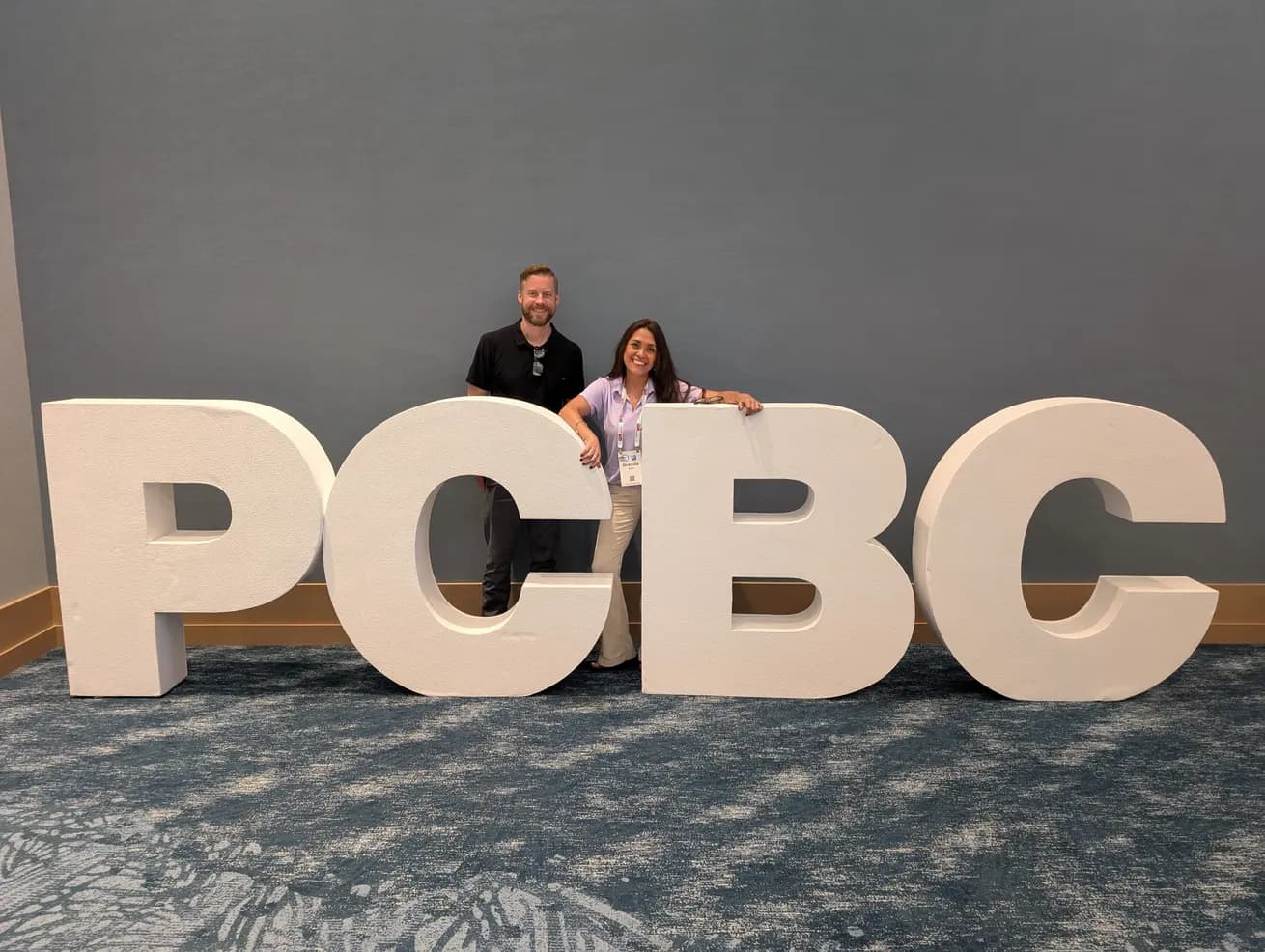
Brenda Booth and Con O'Donnell at PCBC

Brenda Booth

Product & customer experience

Brenda has spent her career designing workflow software for teams that don't have time to learn workflow software. Before Cohyric she led product design for enterprise AI/ML tools at Amazon Web Services.

Con O'Donnell

Cloud infrastructure & AI engineering

Con has led software from first sketch to production for two decades. He builds the pipelines, integrations, and models that turn what the field sends into records the office can trust.

Bring us a real change. We’ll run it through Cohyric with you.

Bring a Change Order you’re working through now — or another workflow that’s eating the week. Free working session on your real extras. Nothing production-built until a proposal is agreed and signed.

What tools do you use today? *

Cohyric

Ready-made Change Orders and related workflows for specialty trades. Capture when it happens. Keep the record together through price, review, and approval.

San Diego · BIA San Diego member

Hear us on BIA Talks

© 2026 Cohyric. All rights reserved.

Product

  • Change Orders
  • Workflows
  • Pricing
  • How we start

Company

  • About
  • AI consulting
  • Book a free working session

Account

  • Sign in
  • Privacy
  • Terms

Bring us a real change. We’ll run it through Cohyric with you.

Bring a Change Order you’re working through now — or another workflow that’s eating the week. Free working session on your real extras. Nothing production-built until a proposal is agreed and signed.

We don’t have an account for that email. A free working session is the first step — no account needed.
What tools do you use today? *

Submitted by Joe Doe · Aug 19, 2026

Estimate

Step 2 of 5 · Estimate

Requested by
Jordan
Location
Main lobby entrance
Work status
Not started
Urgency
Time-sensitive

Requested change summary

Move the main lobby entrance wall approximately two feet to align with the revised storefront opening. Photos and a markup were provided.

Supporting evidence

lobby_entrance_current.jpg

JPG · 920 KB · Submitted by J. Doe

Estimate Summary

+2 working days
Labor
$3,200
Materials
$2,150
Equipment / Misc.
$510

Total estimate

$6,860

Includes 15% standard markup

Current responsibility: Estimating Team

Benefits

  1. 1

    Capture the change early

    Record the request while the details are still fresh — voice, photo, text, or file.

  2. 2

    Reduce re-entry

    Use the original voice note, photo, message, or document instead of typing the same information again.

  3. 3

    Know who has the next action

    See what the record is waiting on as it moves through estimate, review, and approval.

  4. 4

    Keep the full record together

    Preserve the original request, evidence, notes, estimate, decisions, and activity with the record.

  5. 5

    Land in the tools you already use

    When the record is ready, copies can go to Microsoft 365, Google Workspace, or QuickBooks — the office stack you already run. You connect those accounts; we never take passwords.

Book a free working sessionSee how Change Orders work
Faster reporting
More consistent records

Input format: Voice or text

  • Invoices

    Convert supplier invoices into review-ready data.

    Extract vendor, totals, and line items so office teams spend less time entering invoice data manually.

    Less retypingFaster review

    Input format: Photo or file

  • Connects to

    • Microsoft 365
    • Google Workspace
    • Intuit QuickBooks
    Book a free working session

    Field users included

    Paid seats are for people who review, manage, or move workflows forward. Field users who only submit are included.

    Your monthly seat plan stays the same

    Additional ready-made workflows have a one-time setup fee. Custom workflows are scoped separately.

    Prefer setup that includes up to 1–2 ready-made workflows — not a surprise per-workflow menu. We’ll put numbers in writing after the session.

    Book a free working session